2024
PayUp — Payment Tracking & Invoicing for Freelancers
01 · Context and framing
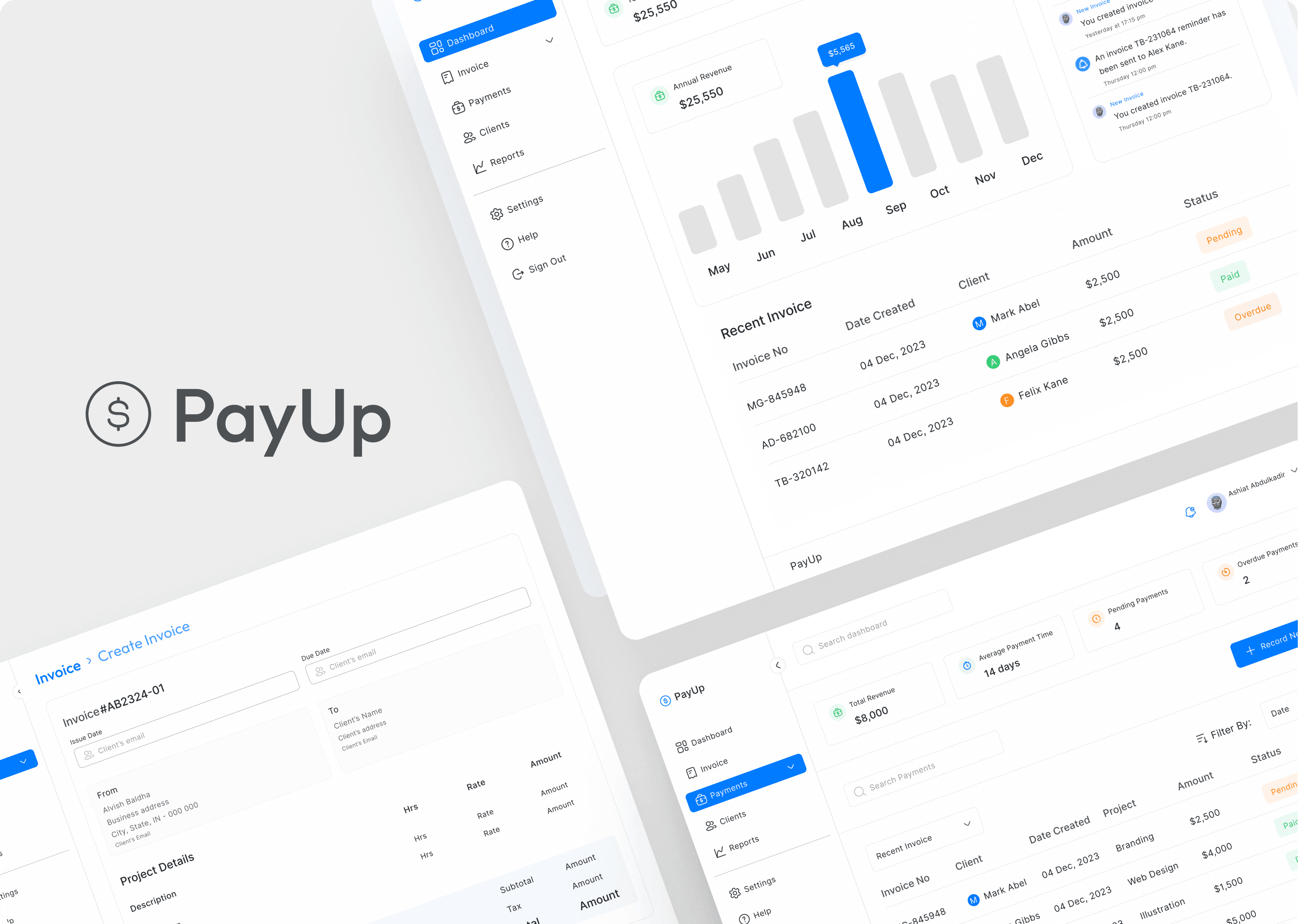
Getting paid is one of the most important parts of freelance work, yet the process is often held together with separate invoice tools, spreadsheets, email threads, and manual reminders. As client volume grows, freelancers can lose track of what has been sent, what is overdue, and which follow-up should happen next.
PayUp brings those tasks into one responsive workspace. It is designed to reduce the administrative burden around client payments while giving freelancers a clear, current view of their income.
The design challenge
How might we help freelancers invoice clients, follow up on outstanding payments, and understand cash flow without requiring a complex accounting system?
02 · Goals and success criteria
The product direction centred on three goals:
- Simplify everyday financial management for freelance professionals.
- Reduce the time and stress involved in invoicing, reminders, and receiving payments.
- Encourage clearer freelancer accountability and better client payment habits.
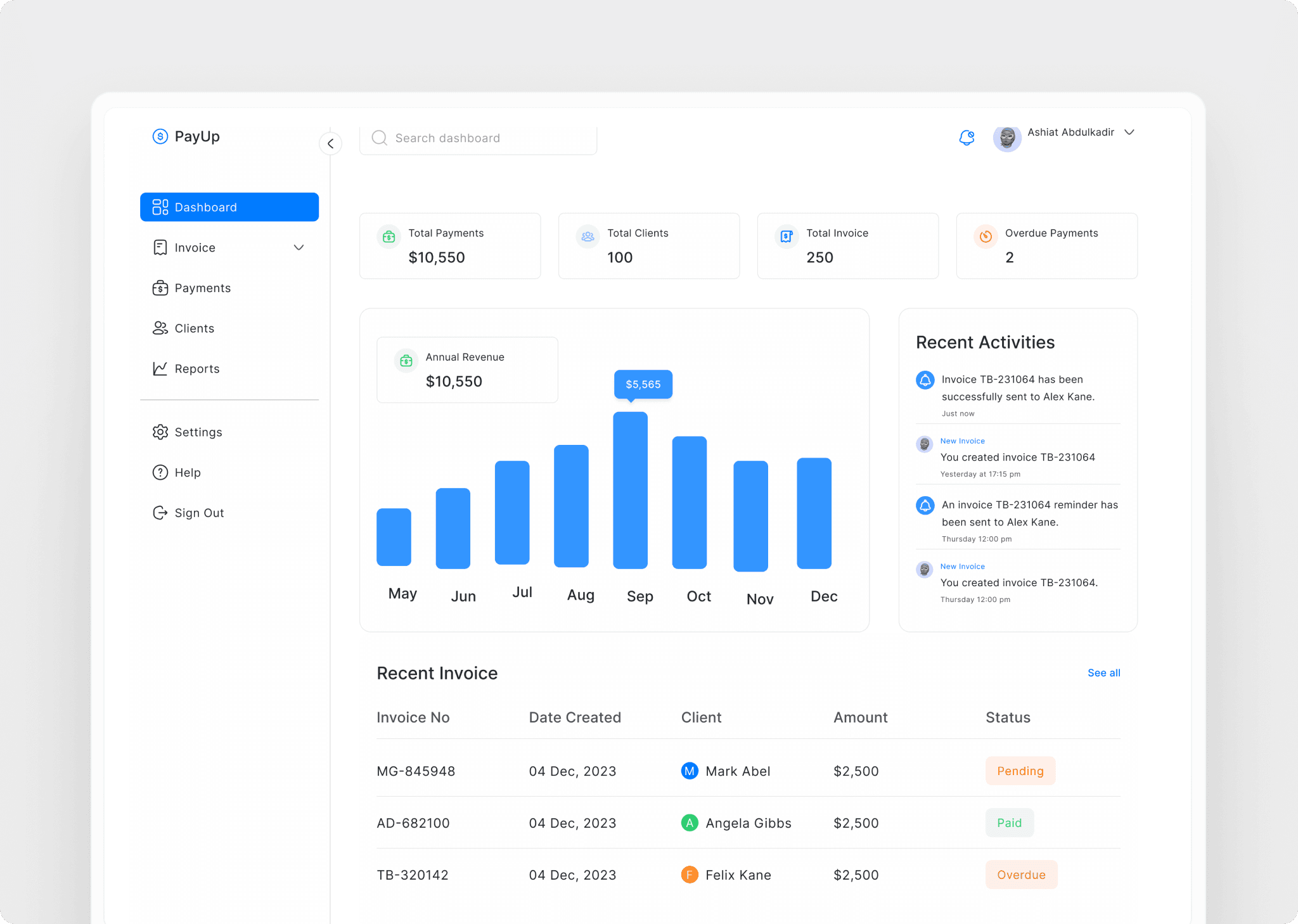
Success meant making the most important information visible at a glance while keeping creation and follow-up flows short enough to become part of a freelancer’s routine.
03 · Research and discovery
An online survey gathered input from freelance professionals across locations and disciplines. The format supported anonymous responses and made it possible to identify recurring patterns in how freelancers track invoices, follow up with clients, and reconcile payments.
The research considered three broad groups: younger freelancers establishing their businesses, professionals balancing freelance work with other commitments, and experienced independents growing toward agency models.
What the research needed to uncover
- Where payment-management workflows break down
- Which repetitive tasks create the most stress
- What information freelancers need before taking action
- How needs change as the number of clients and projects increases
Core insight
Freelancers did not only need a faster invoice creator. They needed one connected view of the relationship between clients, invoices, reminders, payments, and cash flow.
04 · Competitive landscape and product scope
The competitive review examined Upwork, Freelancer, Harvest, Wave, and Stripe. Marketplace tools connect payments to work sourced inside their ecosystems, while accounting and payment products often introduce more complexity than an independent professional needs.
PayUp’s opportunity was to sit between those categories: focused enough for everyday freelance work, but complete enough to replace manual tracking.
The first product scope was organised around four connected capabilities:
- Invoice creation and sending
- Automated payment reminders
- Flexible payment collection
- Payment tracking and reporting
05 · Product feature 01 — Invoice creation and sending
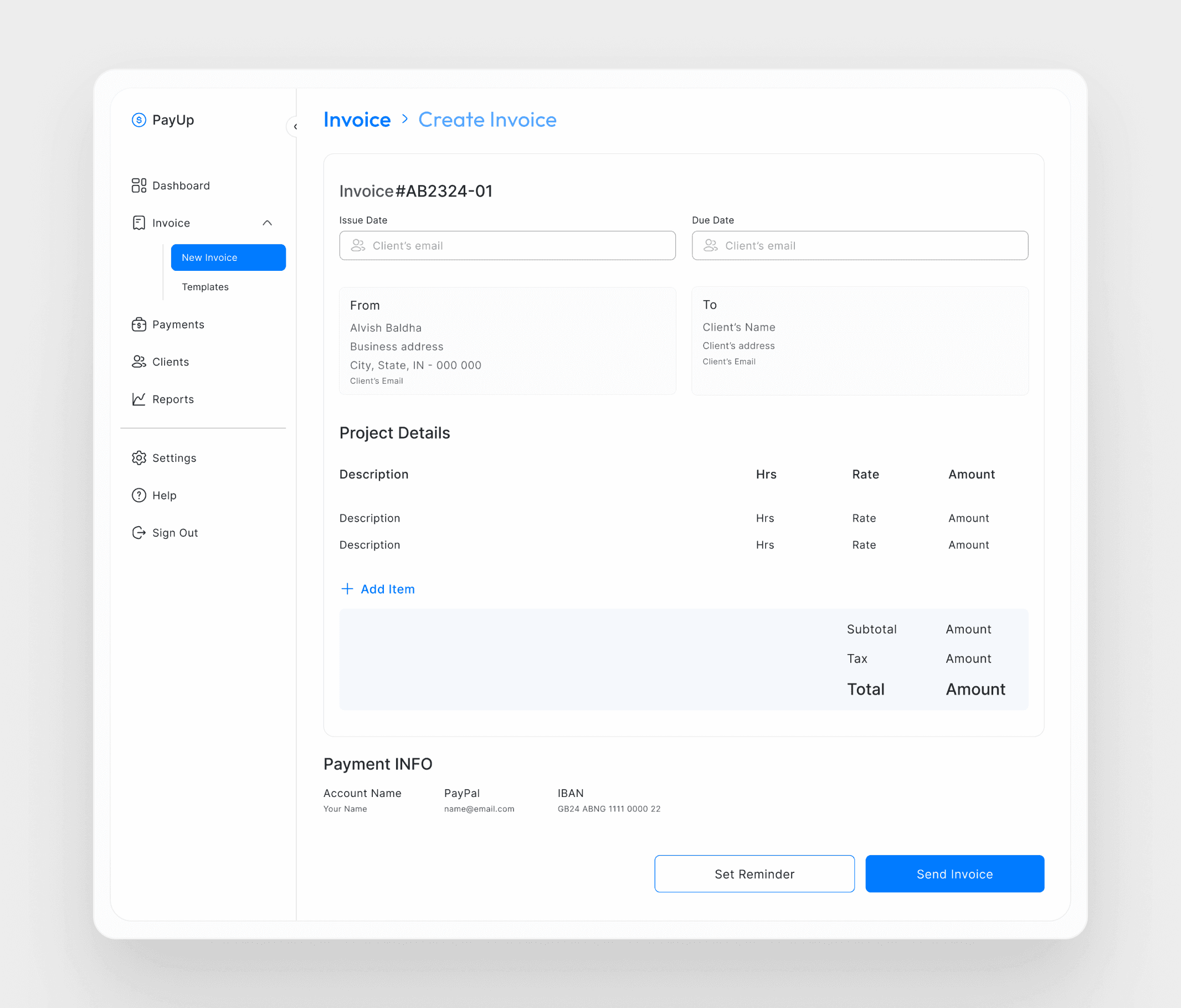
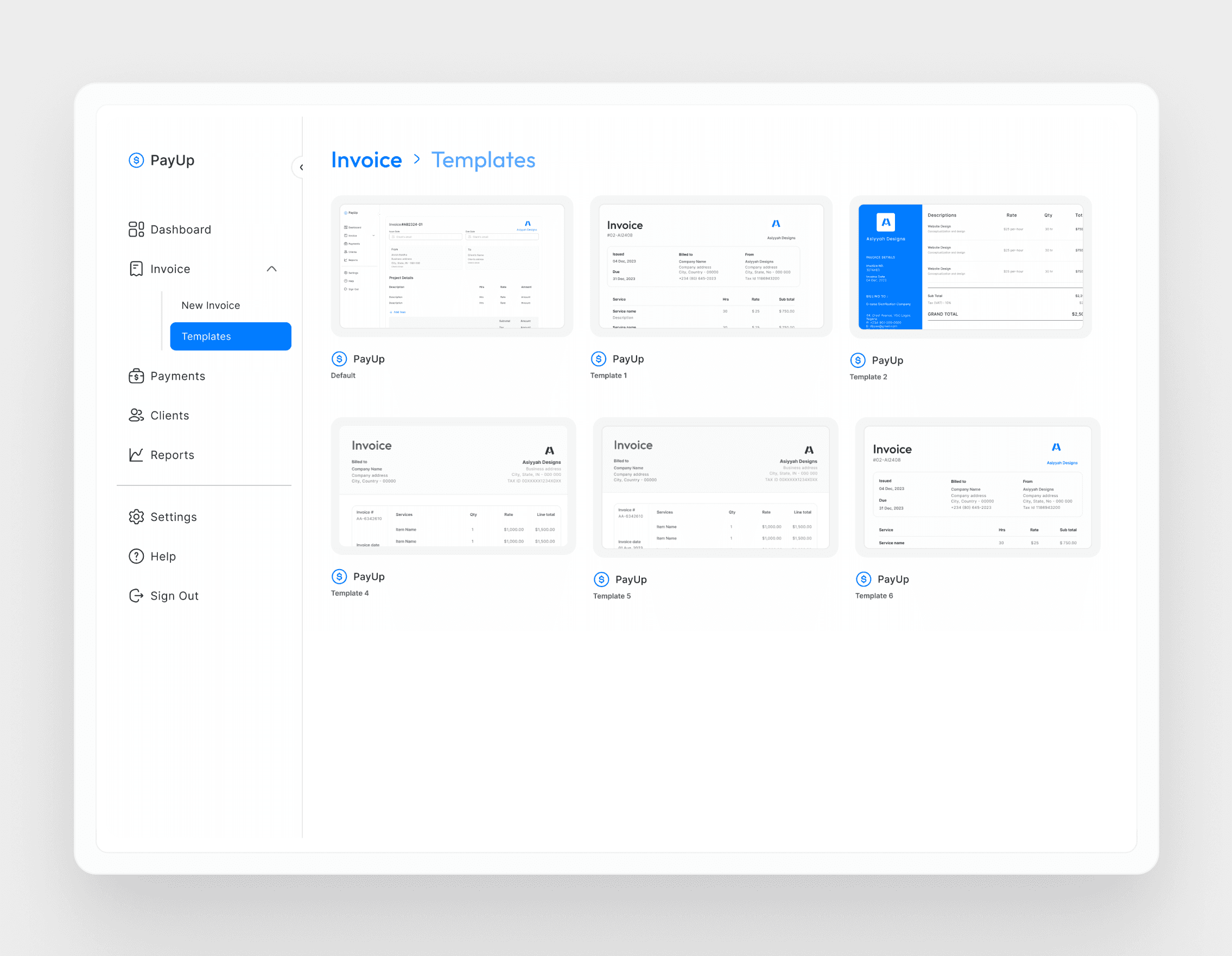
The invoice workspace combines client information, project details, line items, rates, due dates, totals, and payment information in one guided flow. Clear grouping reduces the effort required to review an invoice before sending it.
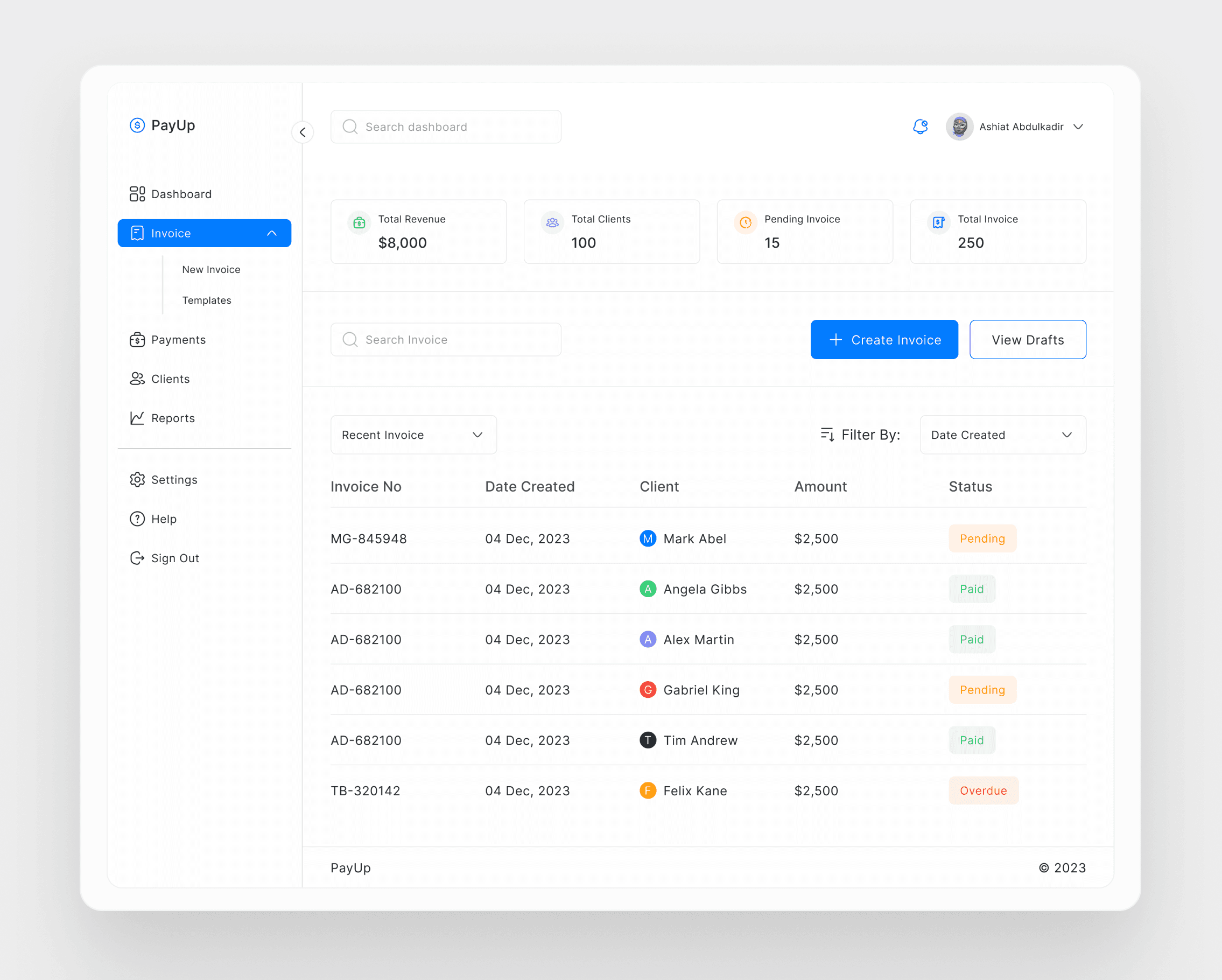
The invoice dashboard then provides a searchable record of drafts and sent invoices, with visible paid, pending, and overdue states. Freelancers can also choose from reusable templates instead of rebuilding presentation details for every client.
06 · Product feature 02 — Automated payment reminders
Following up on late payments can be uncomfortable and easy to postpone. PayUp lets freelancers schedule reminders while creating an invoice or return later to configure the date, frequency, delivery channel, and message.
Default messages provide a quick starting point, while custom copy preserves the freelancer’s relationship with each client. Reminder status and client responses stay connected to the invoice instead of becoming another email thread to manage.
07 · Product feature 03 — Flexible payment collection
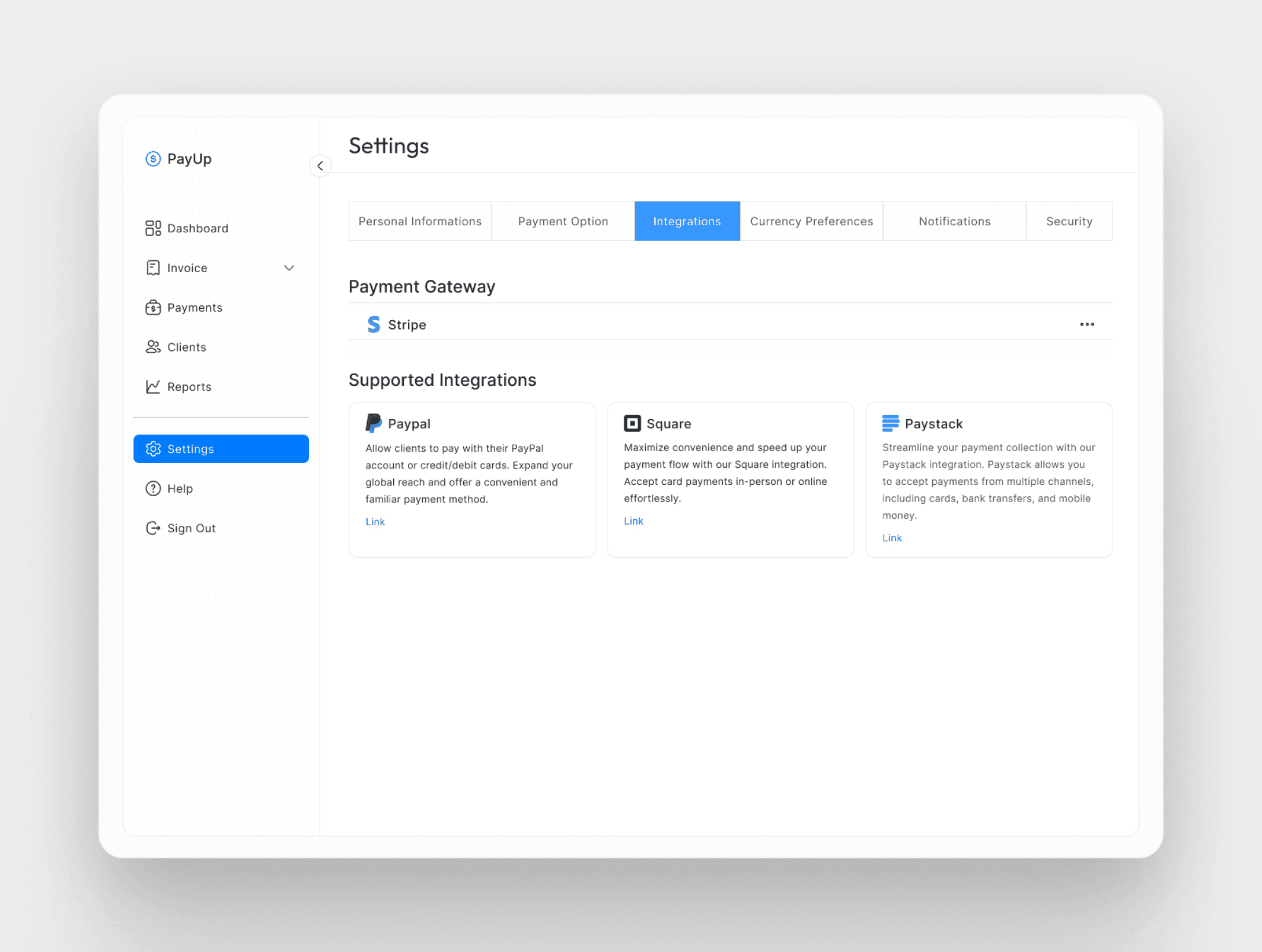
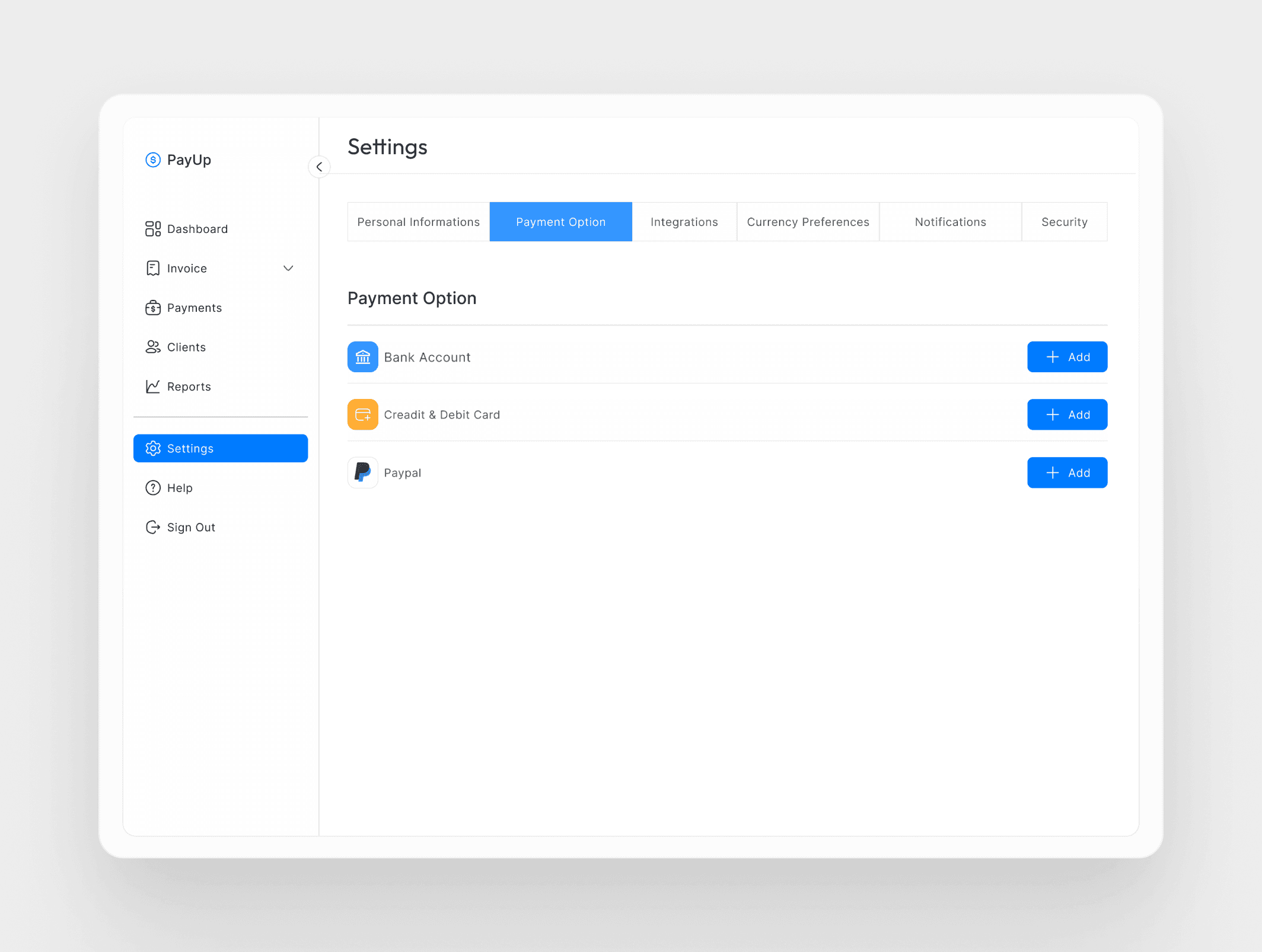
Freelancers can connect familiar gateways such as Stripe, PayPal, Square, and Paystack, then offer clients suitable payment options without moving outside the invoicing workflow. Support for bank accounts, cards, and gateway integrations makes the product relevant across different markets and client preferences.
The platform updates related invoice and payment states after a transaction, reducing the need to reconcile information manually.
08 · Product feature 04 — Payment tracking and reporting
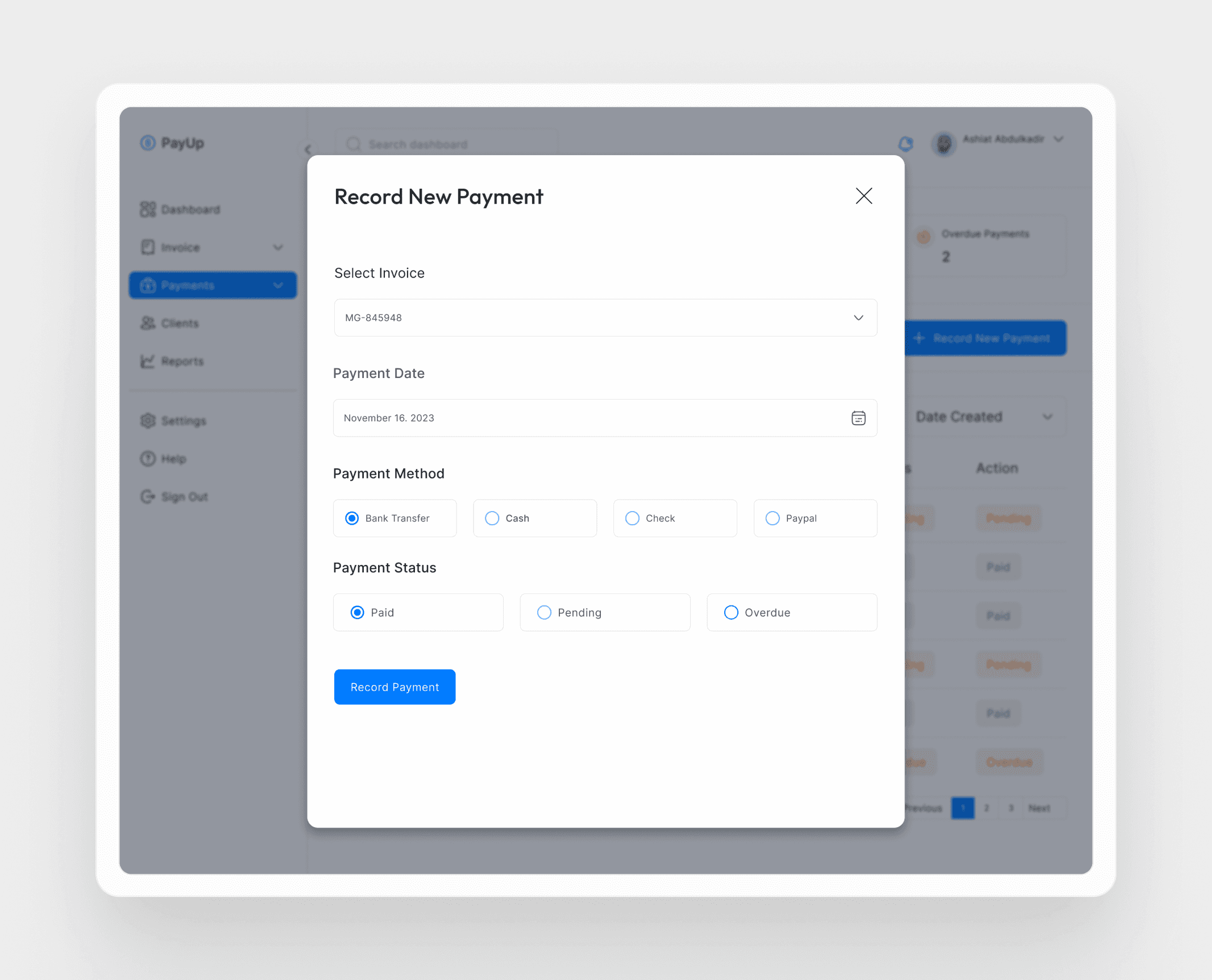
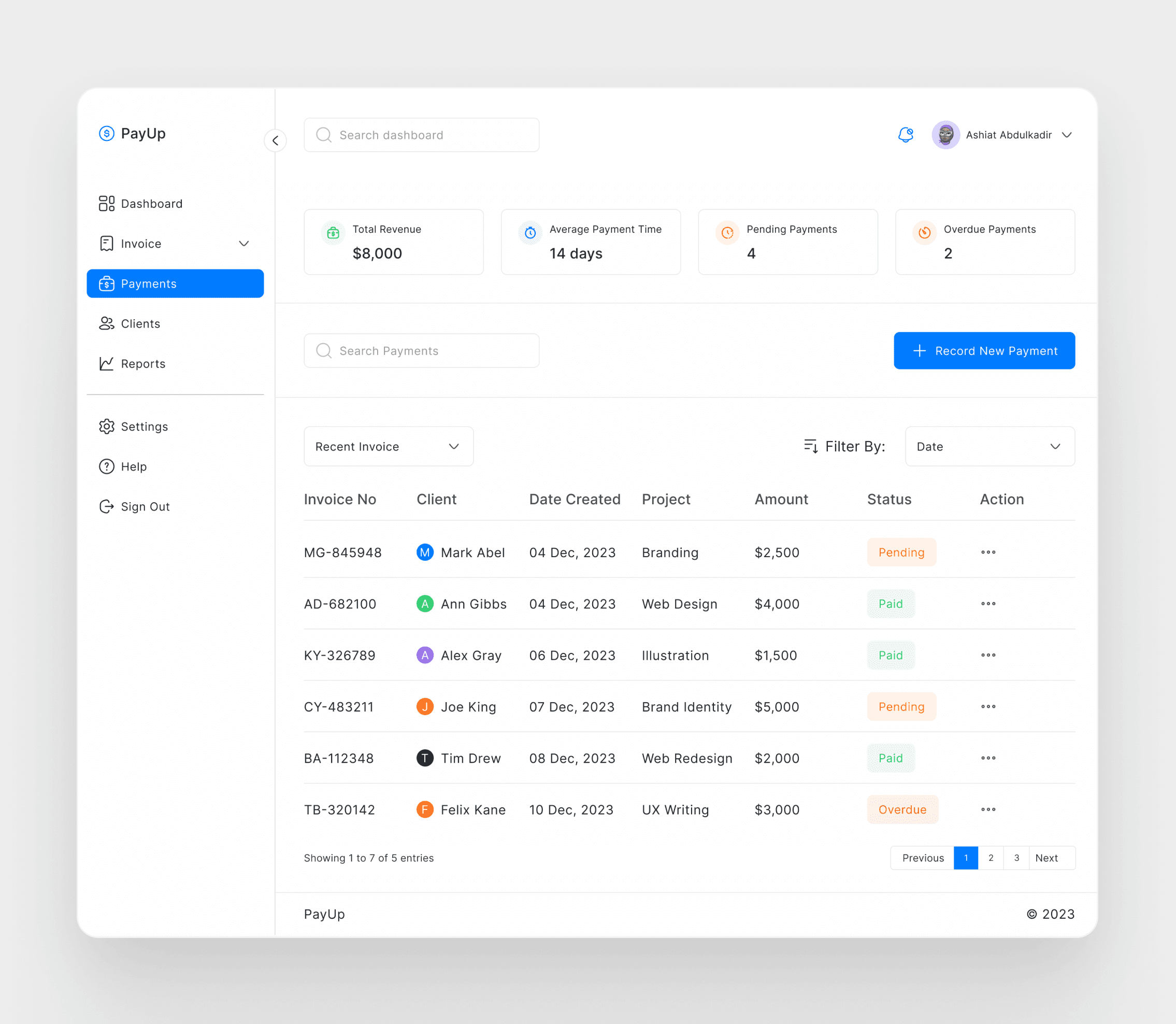
The payment workspace makes revenue, average payment time, pending amounts, and overdue payments visible before the user reaches the transaction table. Search and filtering support quick reconciliation across clients and projects.
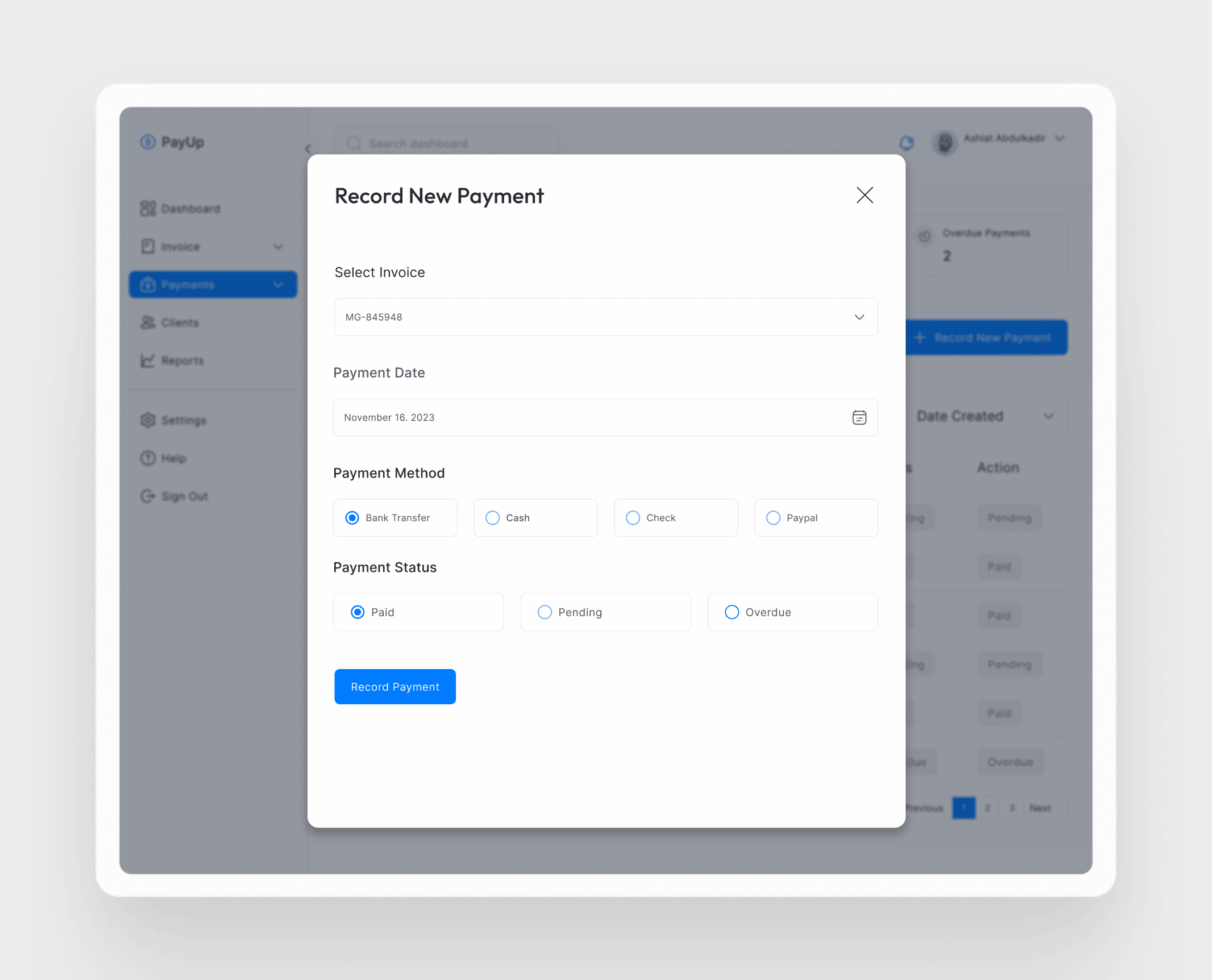
Payments received outside a connected gateway can still be recorded against an invoice. The modal keeps the task focused by asking only for the invoice, date, payment method, and resulting status.
09 · Design decisions and challenges
Supporting different levels of experience
PayUp needed to work for freelancers sending their first professional invoice and experienced independents managing a growing client list. Familiar table patterns, plain-language labels, visible status colours, and progressively disclosed settings reduce the learning burden.
Maintaining focus
The potential feature set could easily expand into full accounting or project management. Prioritising invoicing, reminders, collection, and tracking protected the core experience from unnecessary complexity.
Designing financial trust
Money-related interfaces require clarity. Consistent status treatments, confirmation points, labelled totals, and a visible connection between invoices and payments help users understand what has happened and what requires attention.
Accounting for a global audience
Supporting different payment providers and methods made the concept more useful across markets, including freelancers working from Nigeria with international clients.
10 · Learnings and reflection
Research kept the design grounded in the everyday realities of freelance work rather than assumptions about financial software. Feedback and iteration helped translate those needs into shorter, more direct workflows.
The project reinforced four lessons:
- Empathy should shape both the interface and the product scope.
- Data and usability feedback are most useful when they lead to specific design changes.
- Accessibility includes cultural context, regional payment habits, and different levels of financial confidence.
- Clear product storytelling helps users understand not only how a feature works, but why it matters.
PayUp demonstrates how a focused financial product can give freelancers more than administrative efficiency. By making invoice and payment status visible, connecting related actions, and automating uncomfortable follow-ups, it helps independent professionals approach cash flow with greater confidence.